Catch recomposition regressions
before they ship
Rebound instruments Compose at compile time, watches recomposition rates at runtime, and surfaces the result in CI, Android Studio, or the CLI. It is built for teams that want a budget signal, not another profiler window.
plugins {
  id("io.github.aldefy.rebound") version "0.2.2"
}
 v0.2.2
 Product preview
Android Studio surfaces
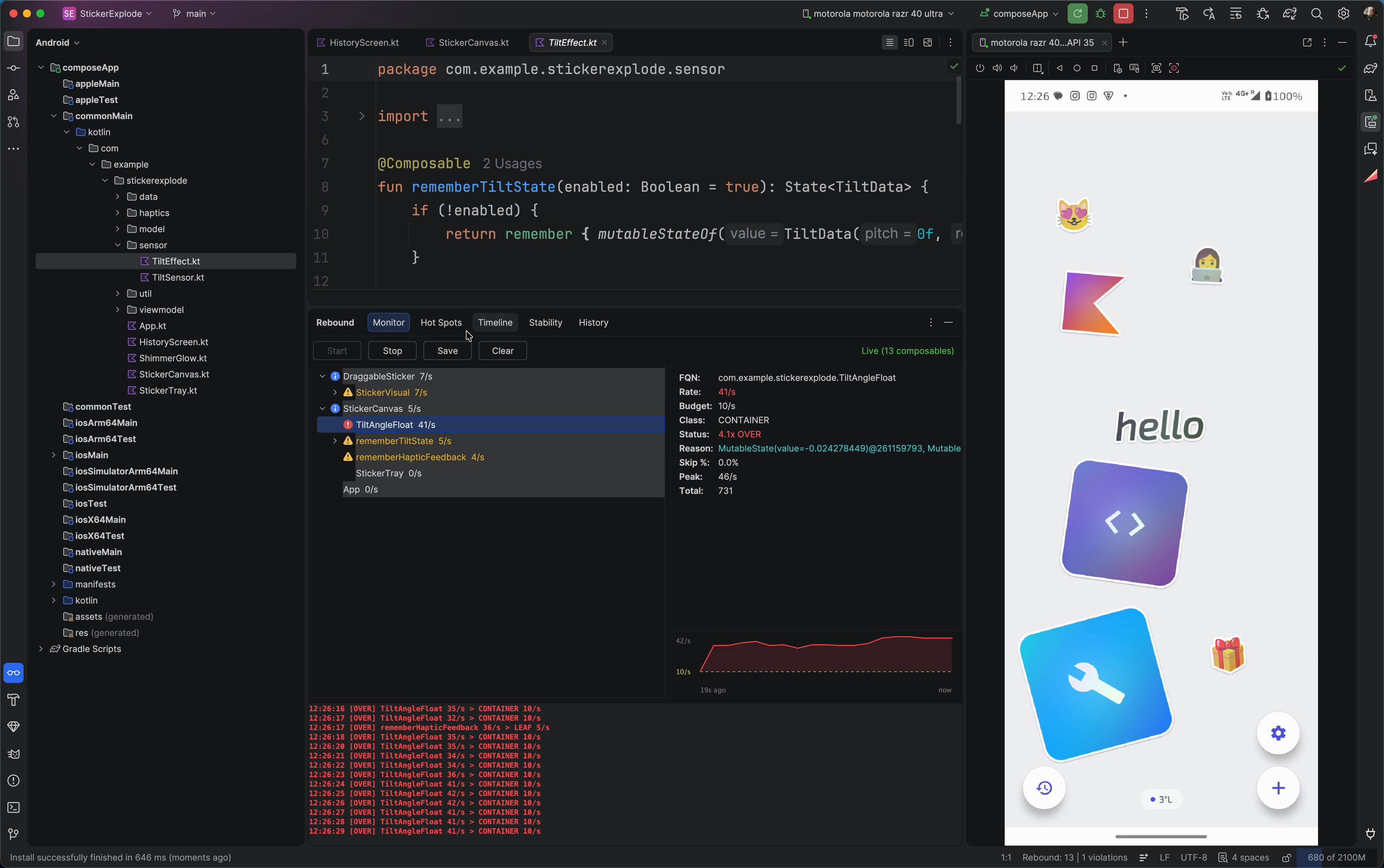
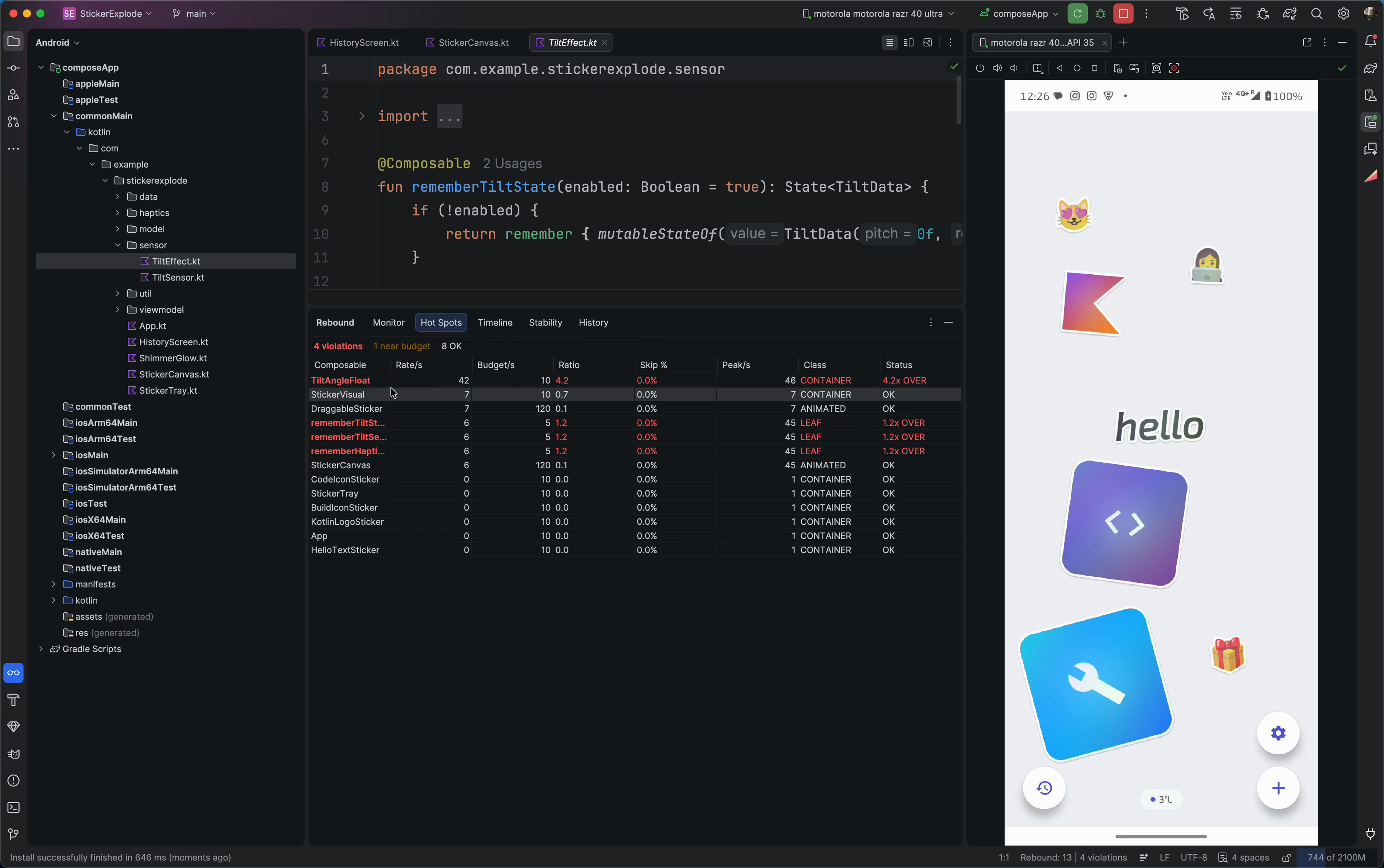
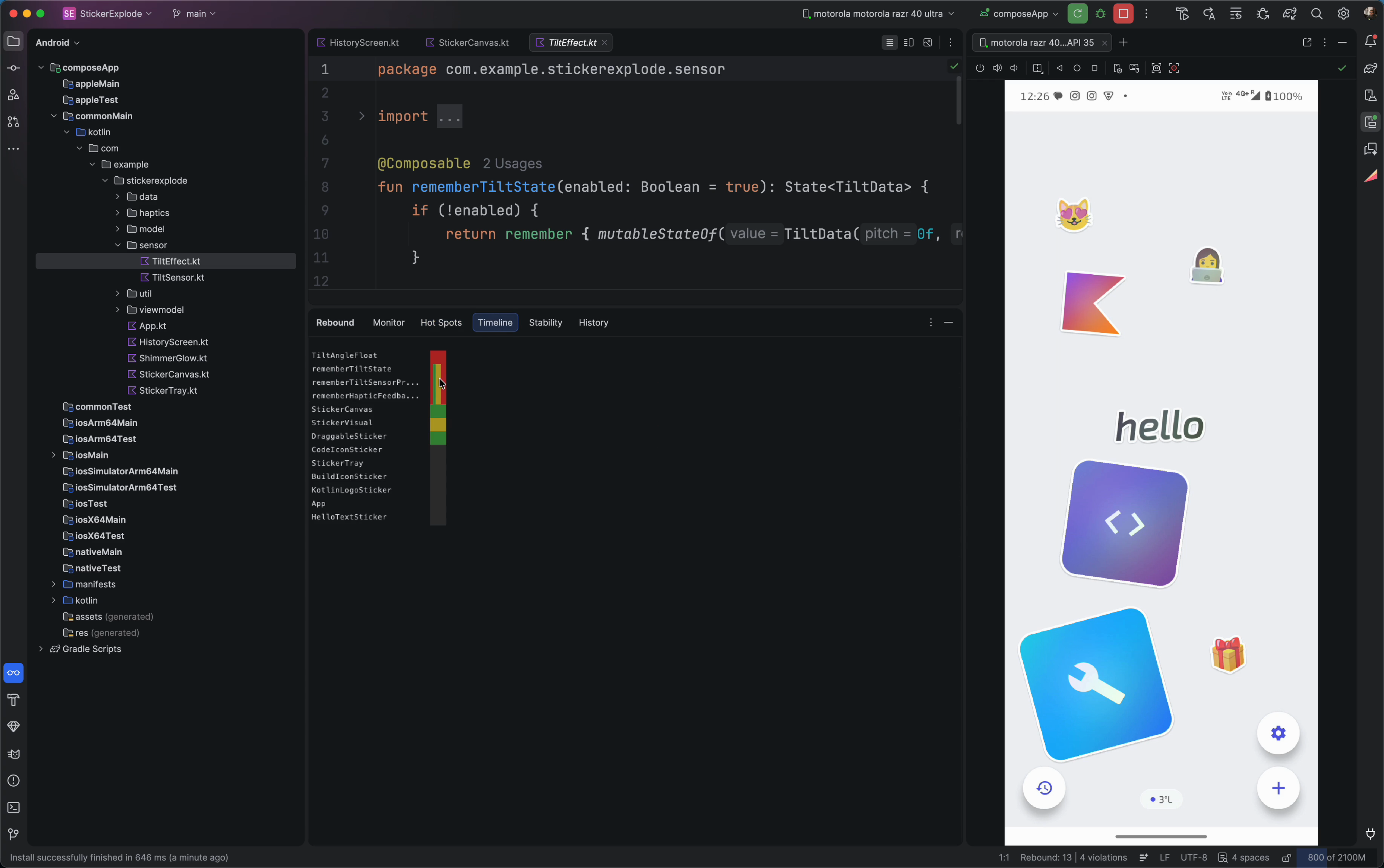
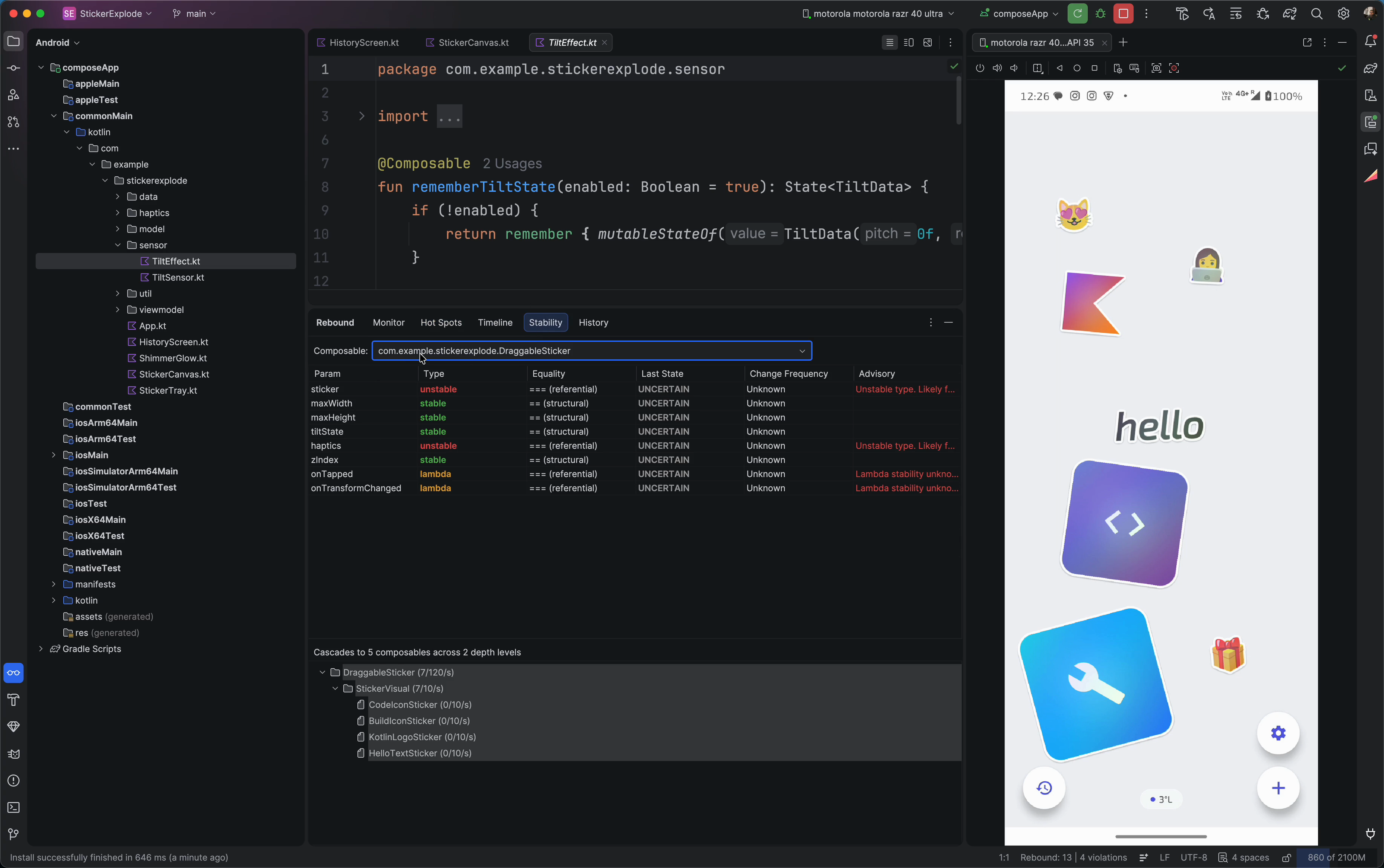
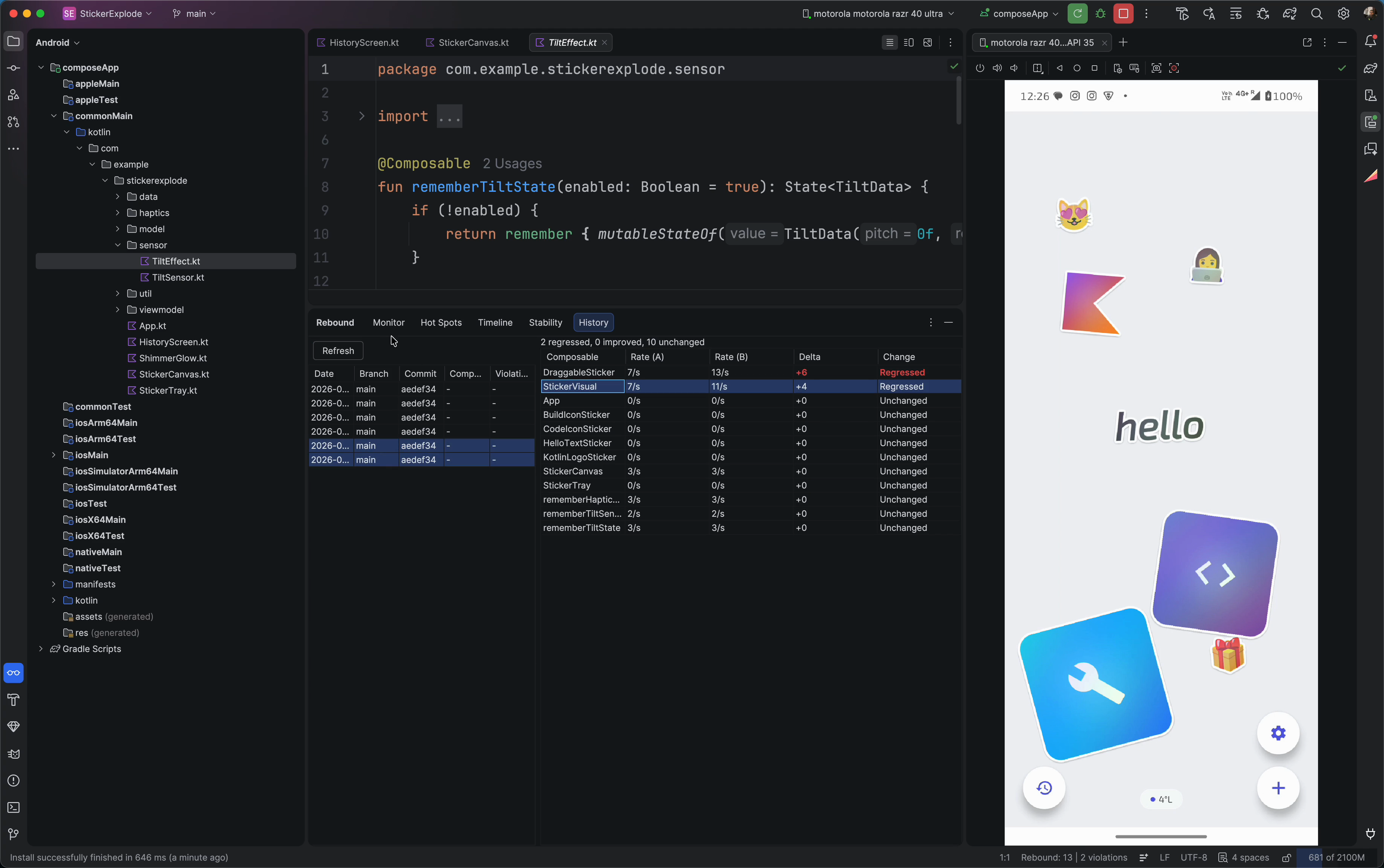
Live monitoring, hot spots, timeline heatmap, stability analysis, and session history — without leaving the editor.
Monitor
Live recomposition tree with per-node detail panel showing rate, budget, skip%, and peak values. Sparkline chart visualizes trends over time. Color-coded violation indicators and a real-time event log keep you informed as you interact with the app.
Flat thresholds miss the point
same rate, different meaning
Without per-composable budgets, you cannot tell healthy animation-driven recomposition from pathological state thrashing. This table shows the kind of signal Rebound surfaces.
| Composable | Rate | Budget | Skip% | Status |
|---|---|---|---|---|
| ShimmerBox | 18/s | 5/s | 0% | OVER |
| MenuItem | 13/s | 30/s | 0% | NEAR |
| DestinationItem | 9/s | 5/s | 0% | OVER |
| TravelGuideCard | 8/s | 5/s | 0% | OVER |
| AppScaffold | 2/s | 3/s | 68% | OK |
What ships
Rebound instruments at compile time, monitors at runtime, and reports in your IDE. All automatic.
Compiler Plugin
Instruments every @Composable at the IR level. Infers budget class from call-site heuristics. Zero annotation required. Debug builds only.
Budget Engine
Six budget classes: Screen (3/s), Container (10/s), Interactive (30/s), List Item (60/s), Animated (120/s), Leaf (5/s). Dynamic scaling during scroll, animation, and input.
IDE Cockpit
Five-tab Android Studio tool window: live monitor with sparklines, hot spot ranking, timeline heatmap, parameter stability matrix, and session history with VCS correlation.
Install the IDE plugin → · JetBrains Marketplace listing planned
Budget classes
Flat thresholds are wrong for most of your composables. Rebound assigns budgets by role.
Android and iOS
Full KMP support. The compiler plugin instruments all targets. Transport adapts per platform.
Android
ADB socket forward
Device + Emulator
iOS Simulator
Direct TCP on :18462
Zero setup
iOS Device
WebSocket relay
Bonjour auto-discovery
JVM / Desktop
In-memory metrics
Transport planned
Get started in 60 seconds
Apply the Gradle plugin
plugins {
          id("io.github.aldefy.rebound") version "0.2.2"
}Run your debug build
Rebound instruments every @Composable automatically. No annotations needed.
See violations
$ ./rebound-cli.sh summary
{"composables":[
  {"name":"ShimmerBox","rate":18,"budget":5,"class":"LEAF","over":true},
  {"name":"MenuItem","rate":13,"budget":30,"class":"INTERACTIVE","over":false}
],"violations":4,"total":127}
iOS Physical Device?
Build and start the relay on your Mac. The device discovers it via Bonjour automatically.
./tools/build-relay.sh && ./tools/rebound-relayTry it on a real app
The sample/ module in this repo is a quick-start Compose app with Rebound pre-configured. For a more interesting stress test, try StickerExplode — a particle-effect demo with heavy animation that exercises every budget class.